WooCommerce Order Emails Look Terrible. Here's How to Fix Them.
Nobody opens your newsletter.
Everybody opens their order confirmation.
So it's a little strange that most stores spend months on their homepage and then let WooCommerce send customers a grey box with a purple bar and a table that looks like a bank statement.
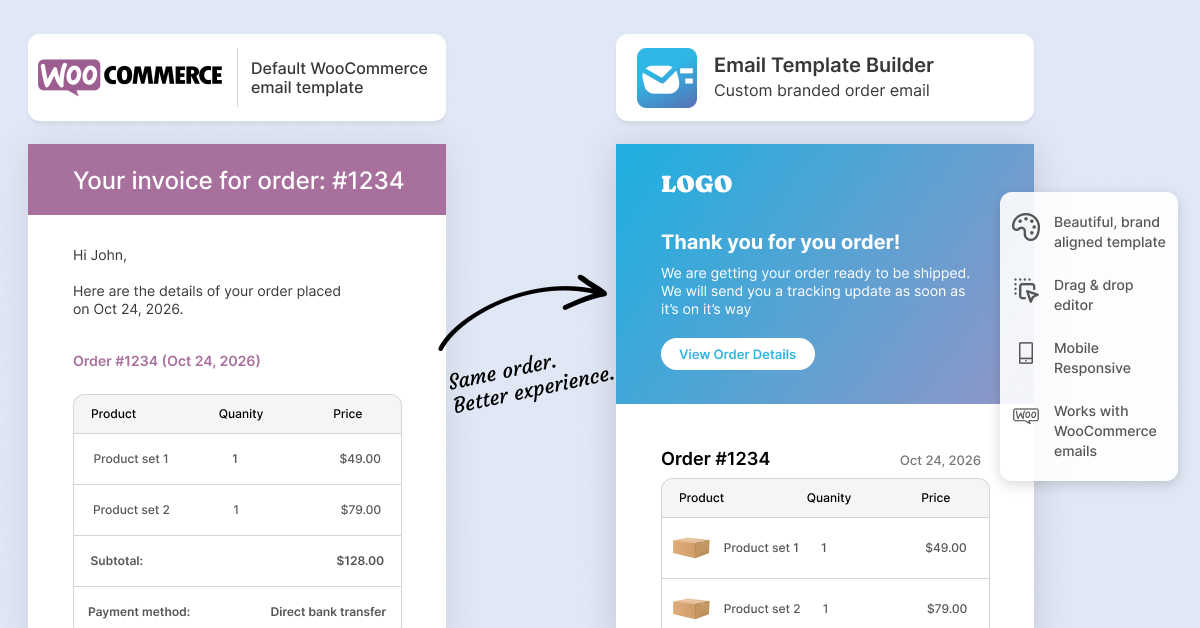
The email you didn't design is the one they read most
Marketing emails get filtered, ignored, or unsubscribed from. Order confirmations don't. People go looking for them. They open them to check what they bought, when it's coming, and what they paid. They forward them to whoever's expecting the parcel. They keep them for months.
That's a genuinely valuable piece of inbox real estate, and on most WooCommerce stores it's the only customer touchpoint nobody has ever looked at.
What it's actually costing you
You're breaking your own brand at the worst possible moment. Someone just gave you money. That confirmation should make them feel good about it. Instead it looks like it came from a system nobody maintains.
You're wasting free marketing. An email your customer will definitely open is the cheapest channel you own. Default templates use it for nothing. No cross-sell, no referral ask, no "here's how to reach us," no social links.
You're generating support tickets. A plain, unbranded email that arrives right after a payment looks exactly like a phishing attempt. Some people hesitate. Some check their bank. Some email you to ask whether the order actually went through. That's your team's time, spent on a problem your email design created.
You're paying a developer to change a sentence. Customising WooCommerce emails the traditional way means template overrides, a child theme, and PHP. Want to update the returns policy line? That's a ticket, a quote, and a wait.
Why nobody ever gets around to fixing it
Not because they don't care. Because email HTML is miserable.
It's tables inside tables, inline styles, and rendering quirks that differ in every client. Your designer doesn't want to touch it. Your developer will quote you for it. Your marketer can't do it alone.
So it stays ugly, everyone agrees to sort it out later, and later never comes.
Drag, drop, done
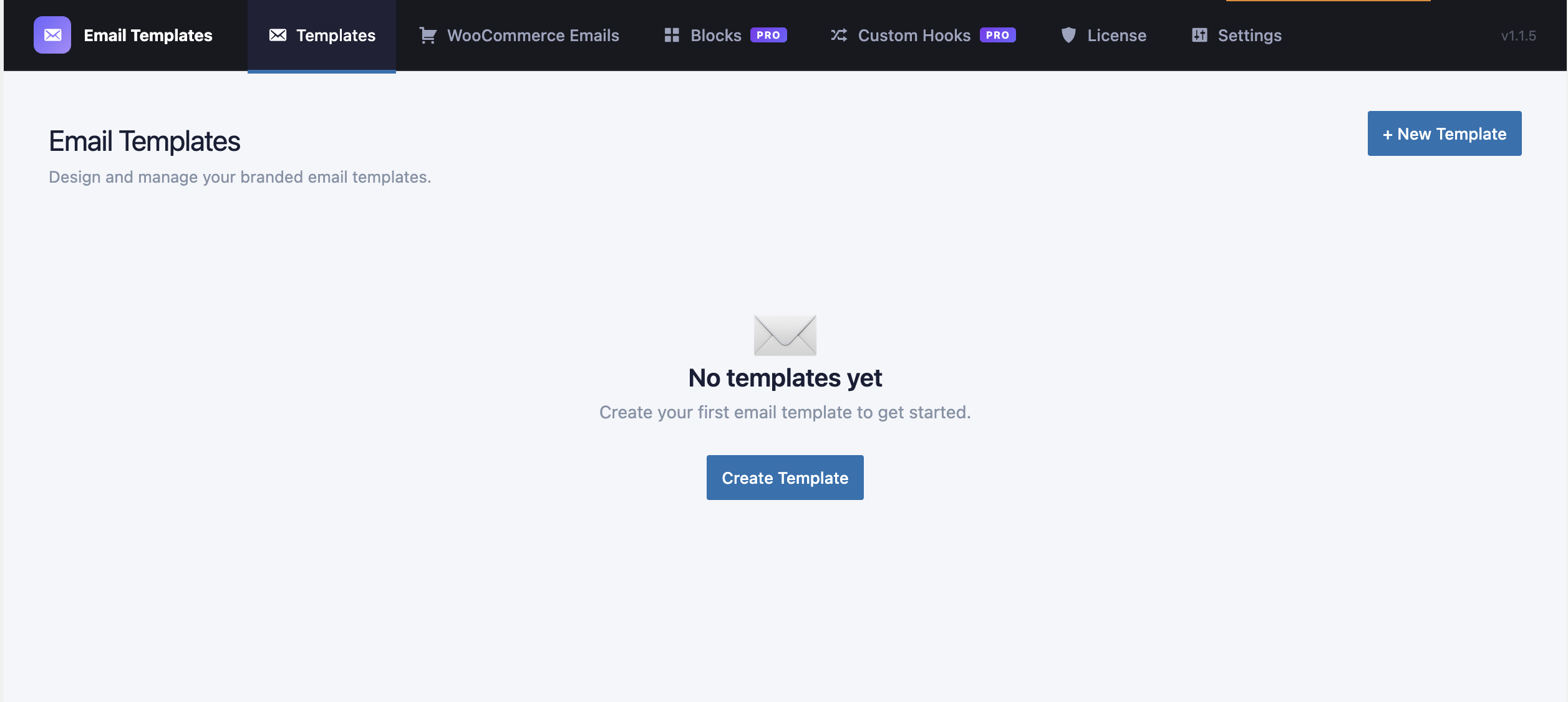
CodePros Email Template Builder replaces all of that with a visual builder.
You build the email the same way you'd build a page. Headings, text, buttons, images, columns, dividers, containers, footers, and a proper order-items table. No code, no child theme, no ticket.
Then you point that template at the emails you want it to control:
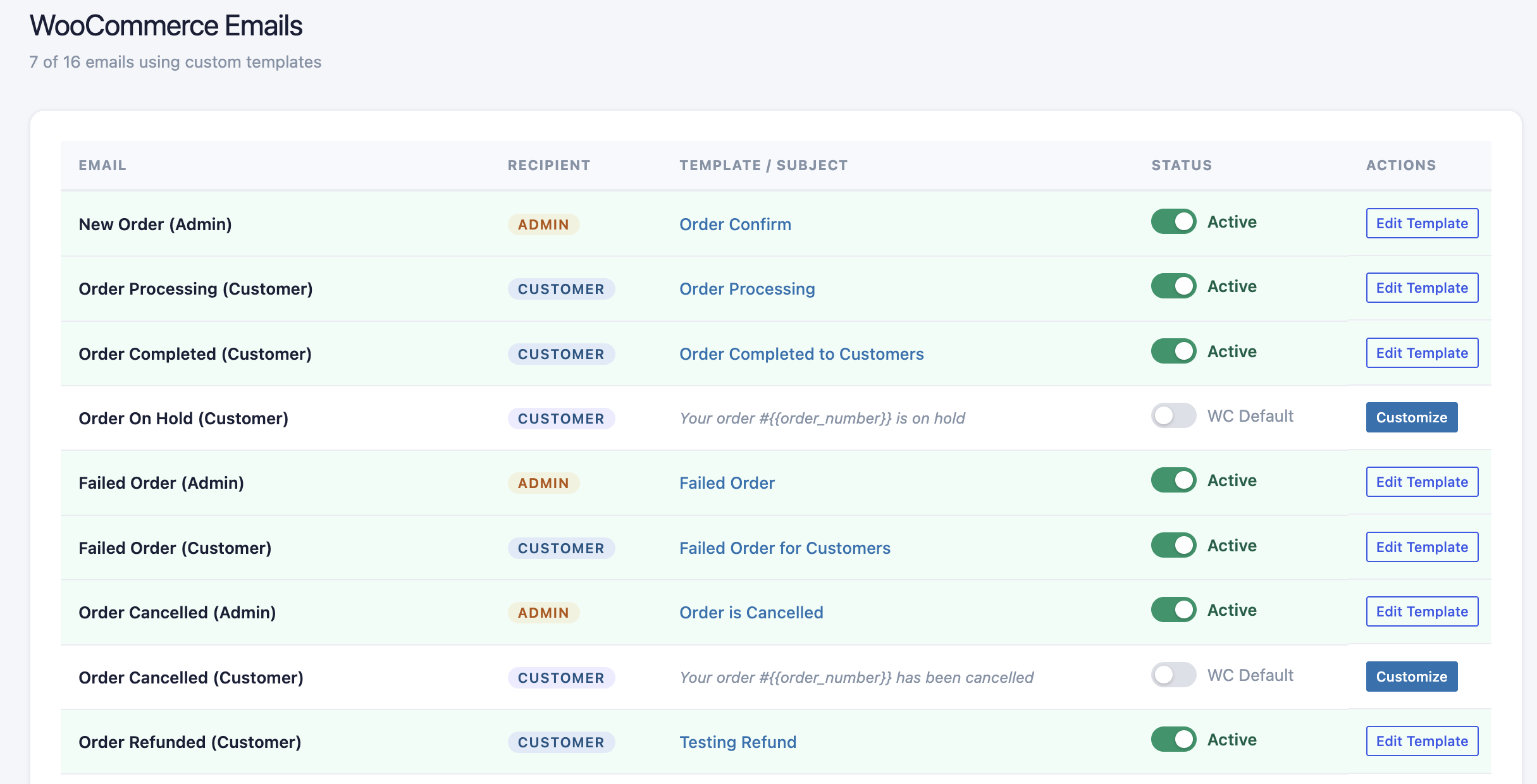
- All 16 WooCommerce emails. New order, processing, completed, refunded, failed, the lot.
- 8 WordPress core emails. New user registration, password reset, email change confirmation, comment notifications.
Each template gets its own subject line, preheader, From Name and From Email. You preview it with real order data before it goes anywhere, and you can send yourself a test first.
CSS gets inlined automatically, which is the boring detail that decides whether your email survives contact with Outlook.
The bit that should kill your last objection
Here's the thing that matters if you're nervous about touching transactional email on a live store, and you should be nervous, because order confirmations are not something you want to break on a Friday afternoon.
Every WooCommerce email has an on/off toggle. Flip it off and that email type instantly reverts to the WooCommerce default. Nothing gets deleted. Nothing needs rebuilding. Flip it back whenever you're ready.
You are never one bad template away from a broken order confirmation. That's it. That's the safety net.
Want branded order emails without booking developer time? The free version covers all 16 WooCommerce emails and 8 WordPress core emails. Get it free on WordPress.org →
When you'll want Pro
The free version handles WordPress and WooCommerce emails, which covers most stores completely. Genuinely. If that's all you need, stop there.
Pro exists for the emails those two don't reach.
Custom hooks let you intercept emails sent by other plugins. Bookings, memberships, subscriptions, LMS platforms, form builders. These are almost always the ugliest emails on the site and the hardest to change, because every plugin ships its own template system and none of them agree with each other.
Reusable blocks let you save any block once and drop it into every template. A branded footer. A support banner. A seasonal promo strip. Change it in one place, it updates everywhere.
If you're running more than a handful of templates, that second one pays for itself the first time you need to update a phone number.
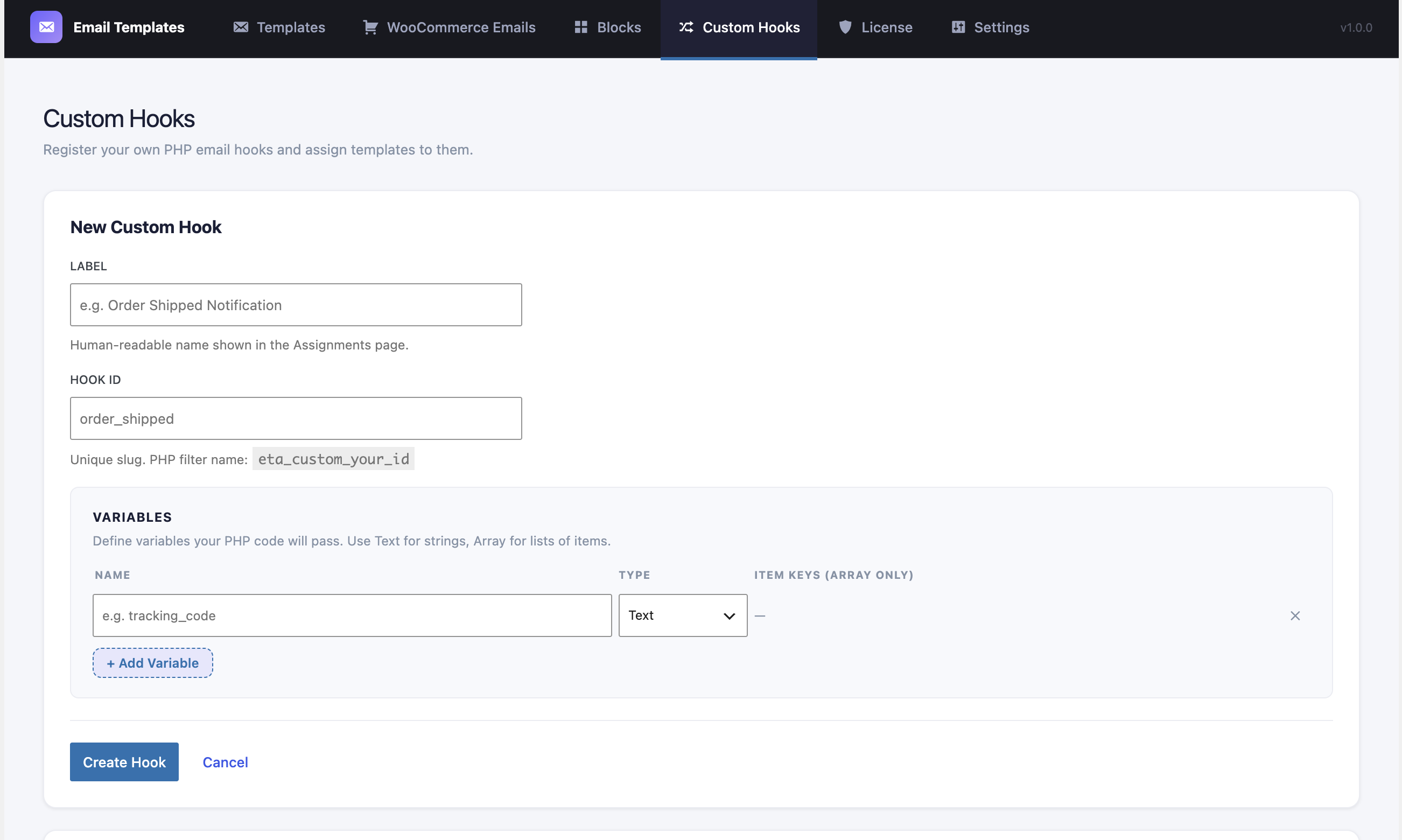
Running bookings, memberships or subscriptions? Those plugin emails are exactly what custom hooks were built for. See Pro plans →
Two practical notes
It works with or without WooCommerce. If you only want to brand WordPress core emails, that's a perfectly good reason to install it.
And your email data stays on your server. Nothing gets transmitted anywhere during template creation, preview or sending. The only outbound call is Pro licence verification, and that only happens if you've entered a licence key.
Fix the email nobody designed
Your store looks good. Your checkout works. The thing landing in your customer's inbox thirty seconds after they pay should match.
Not sure email is your weakest link? Work out which problem to fix first.
Continue Reading
- News WordPress 7.1.2: Update Your Store Today. Here's What It Won't Fix. →
- Checkout WooCommerce Address Autocomplete: Stop Losing Orders at Checkout →
- Speed WordPress Image Optimization: Why Your Site Is Slow and How to Fix It →
- Security SVG Uploads in WordPress: Why It's Blocked and How to Do It Safely →
- Compare Which Code Pros Plugin Do You Need? →